Crop every photo exactly as you envision.
Precise cropping, AI composition and batch export. Atelier turns every shot into a finished piece.
Control every detail.
Scroll to explore what Atelier can do.
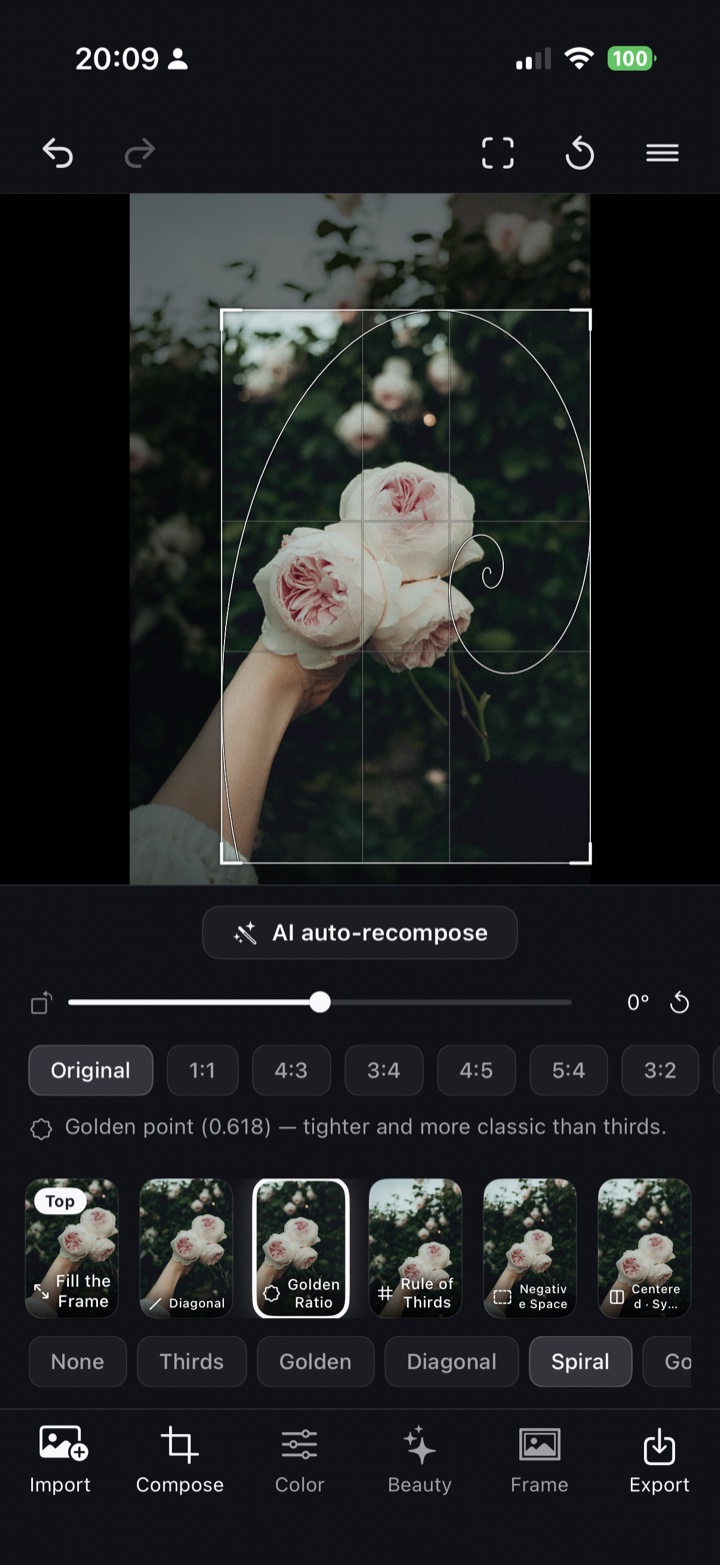
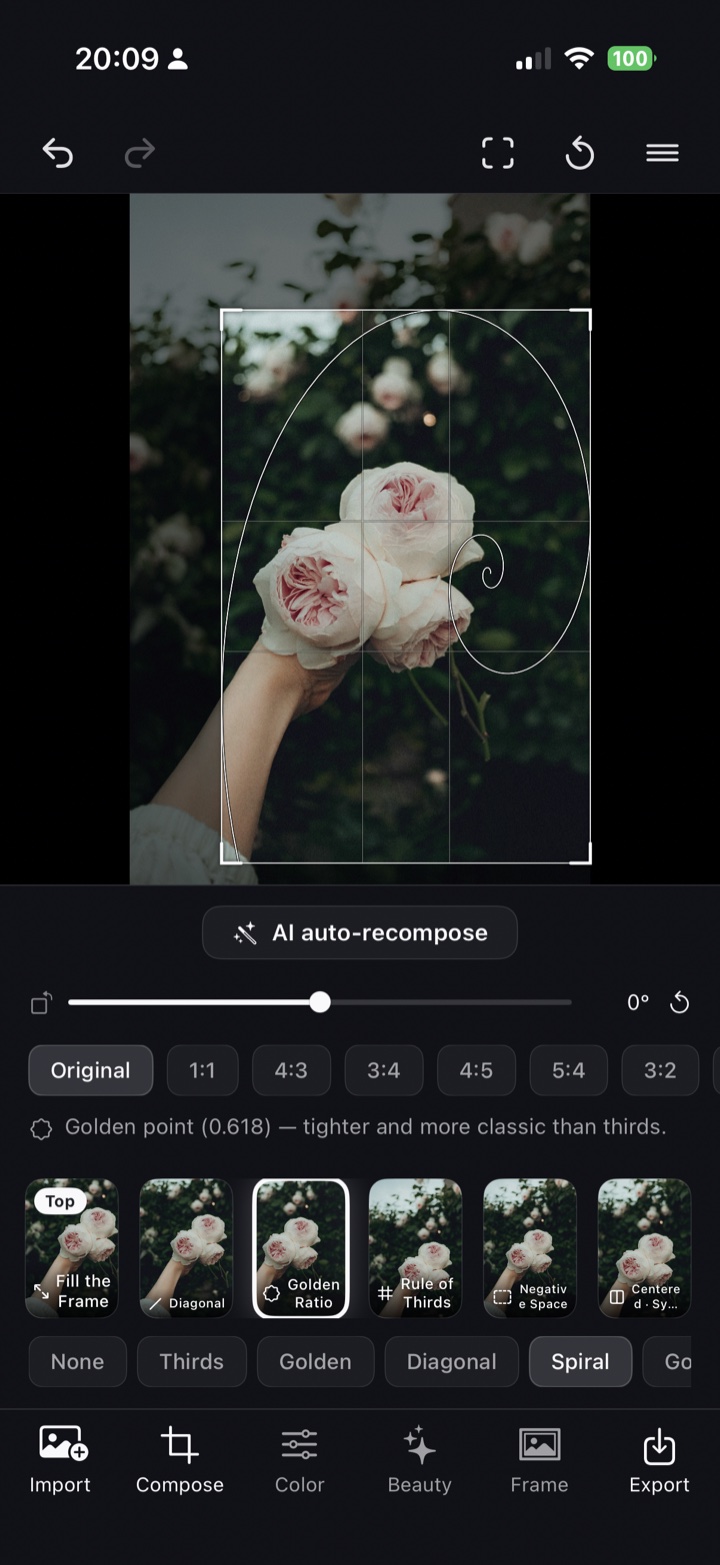
Precision crop
Guides, snapping and horizon straightening land your framing.
AI composition
AI reads thirds and the golden ratio to suggest the ideal crop.
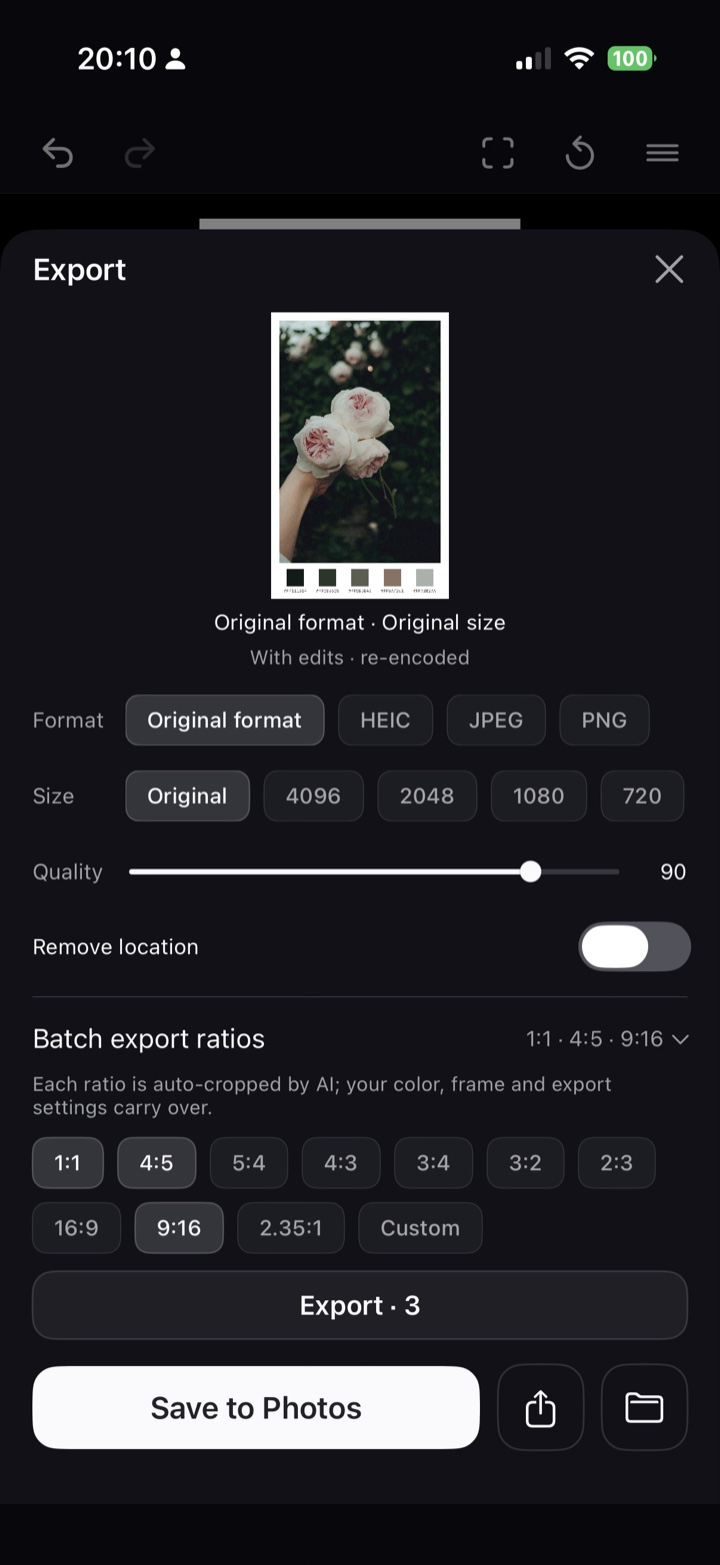
Batch export
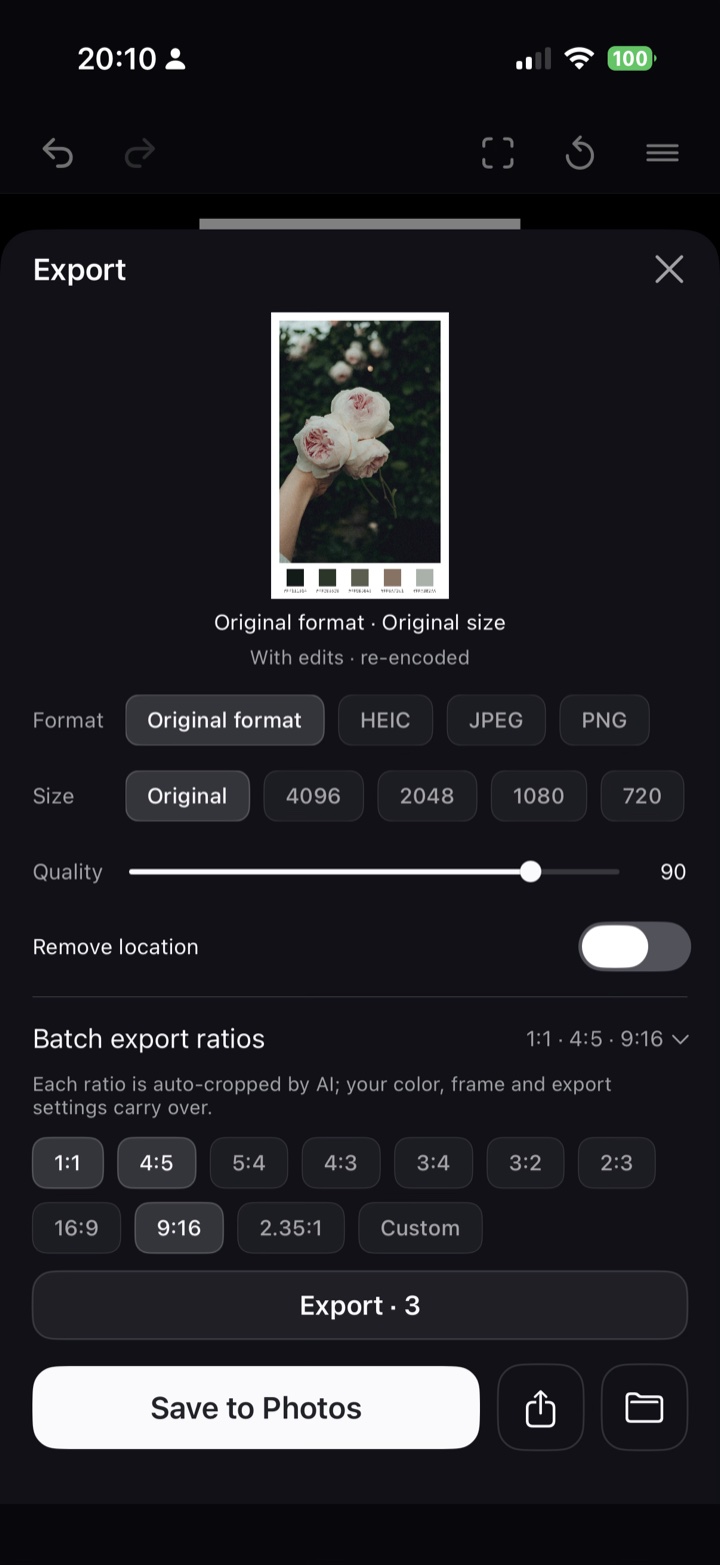
Up to 30 photos auto-composed; export several ratios at once.
Everything in one app.
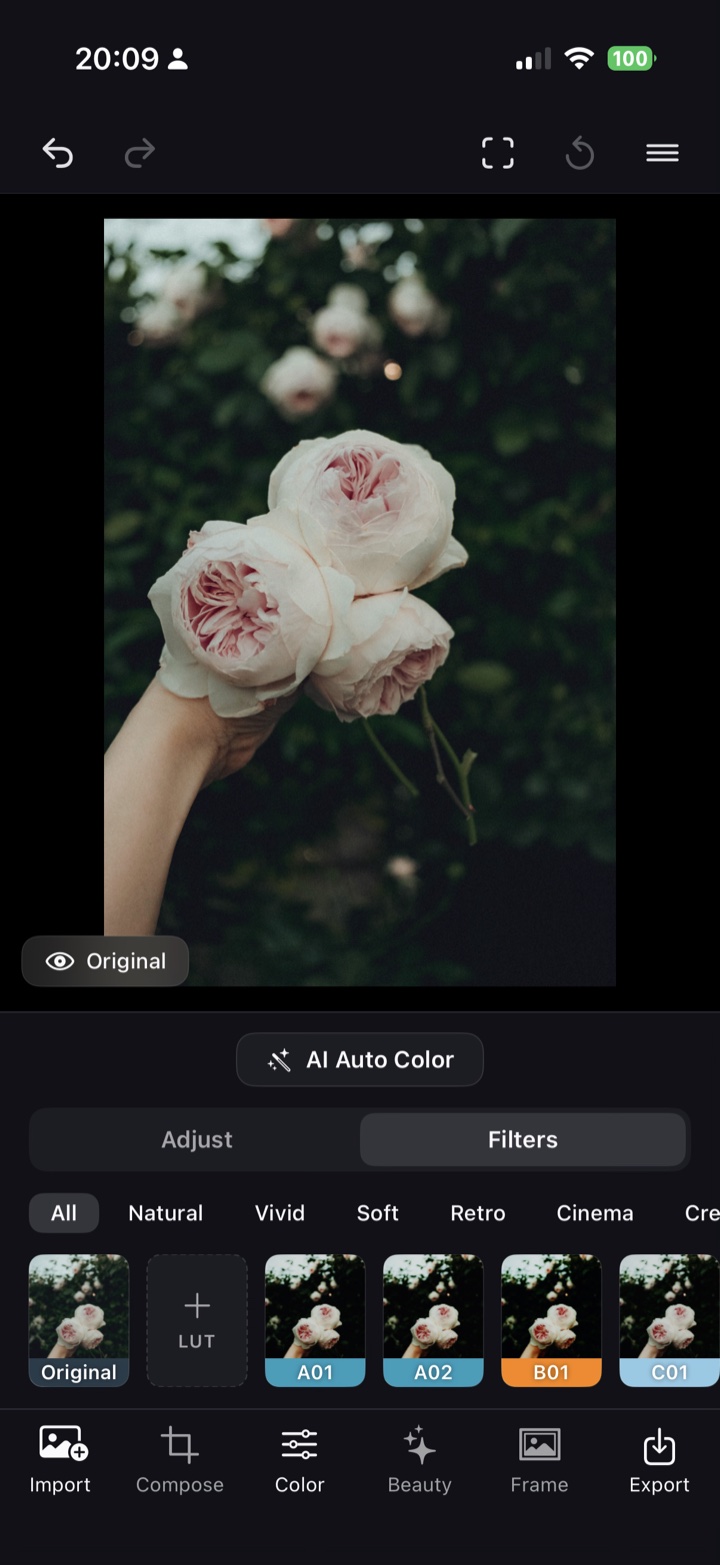
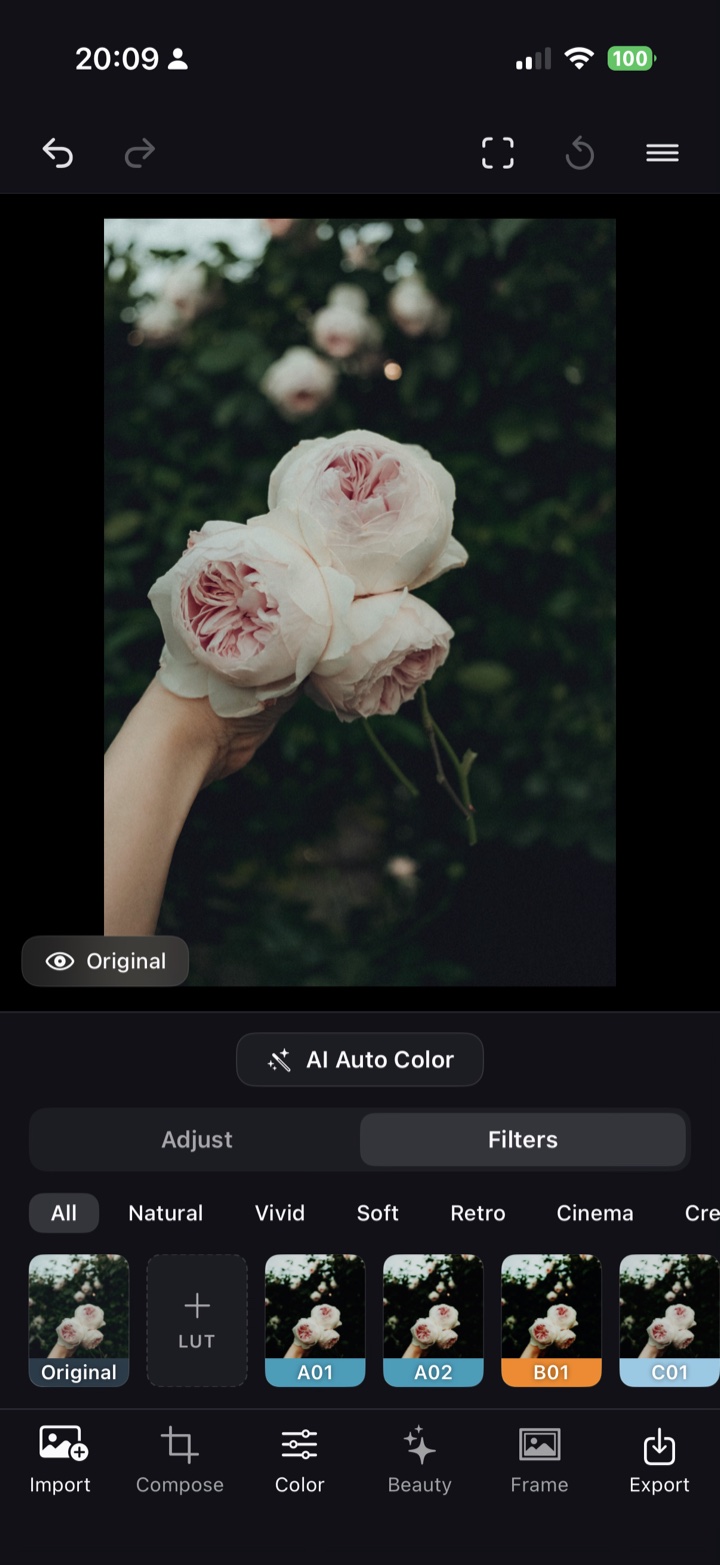
Color & filters
One-tap film looks, plus manual exposure, contrast, saturation and temperature. Import your own .cube LUTs as custom filters.
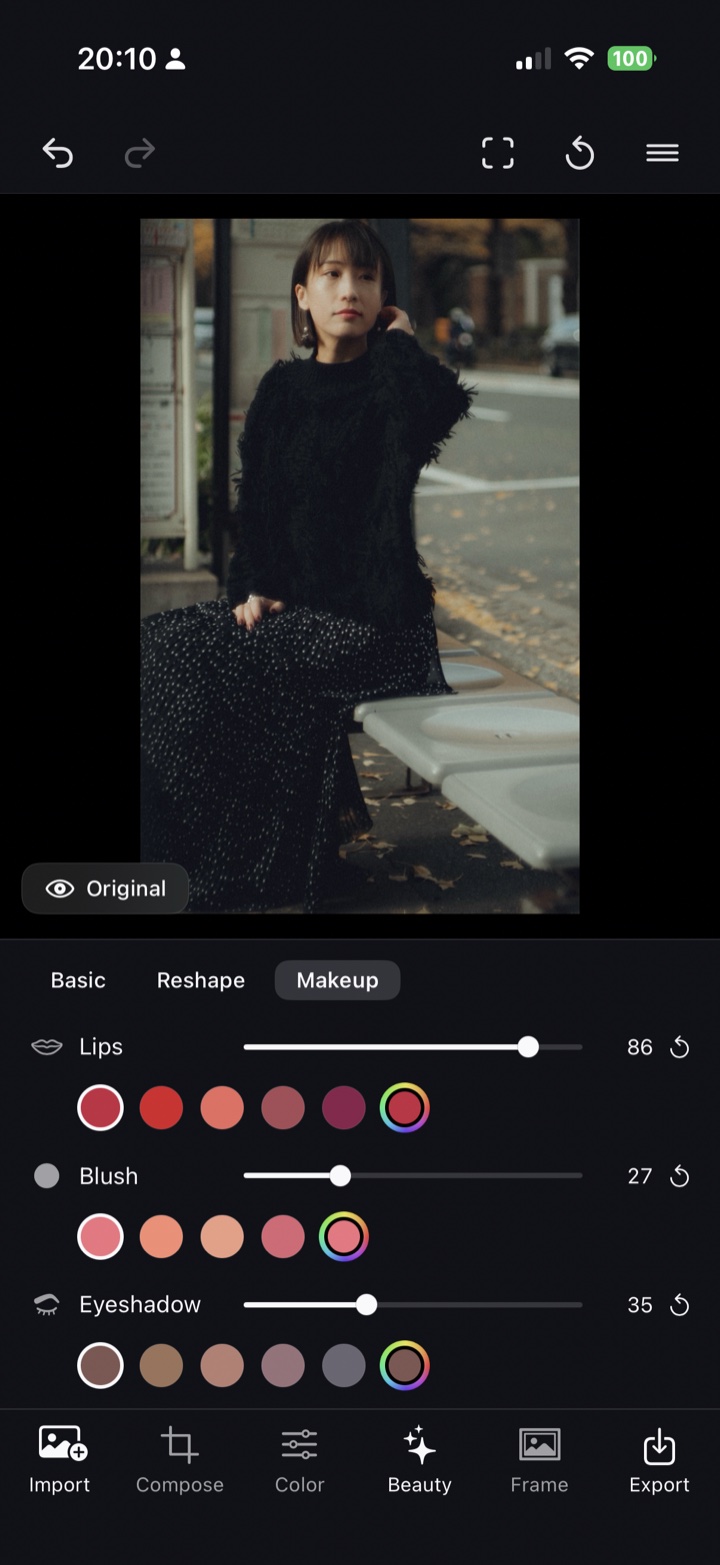
Beauty retouch
Smooth and brighten for natural skin, plus reshape (slim face, big eyes) and makeup — all via on-device face detection that touches only skin.
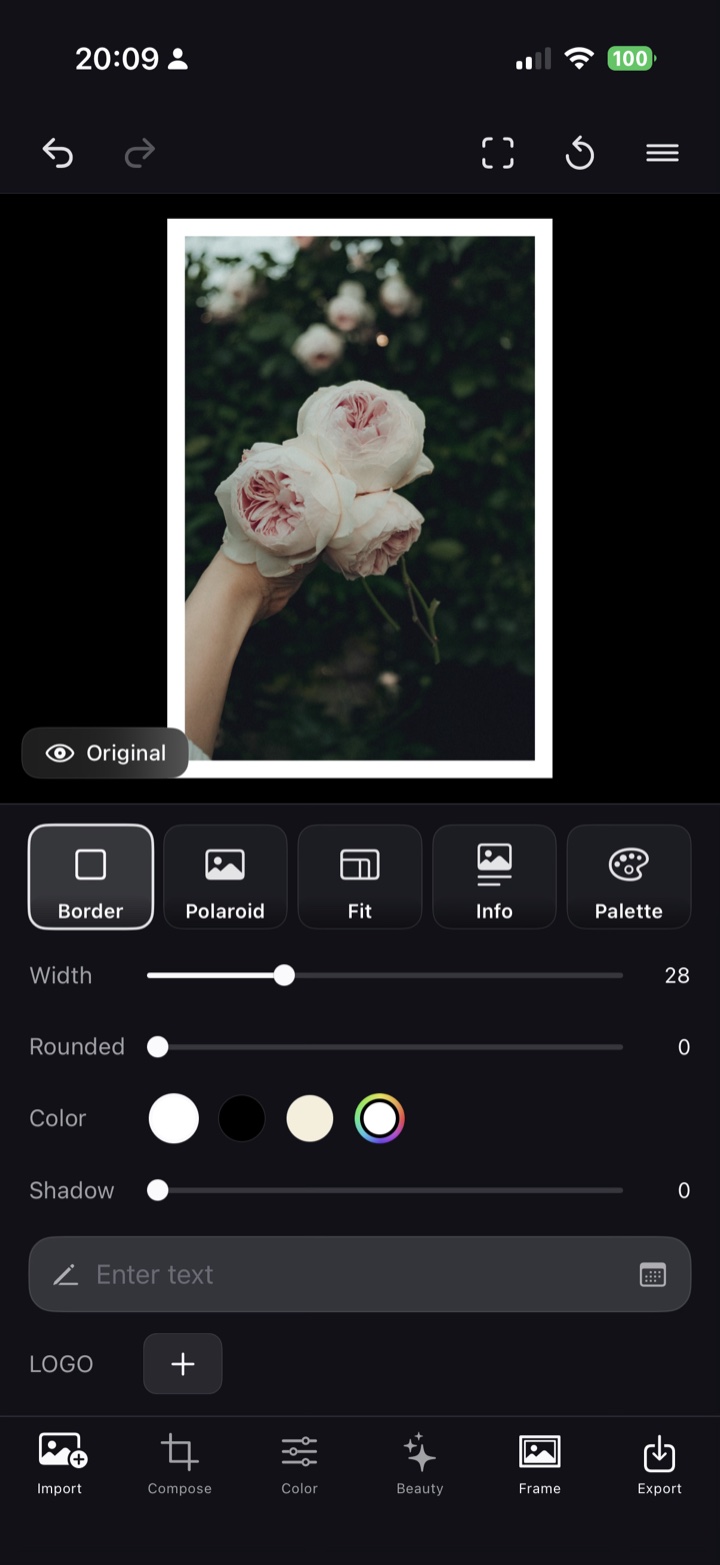
Five frame styles
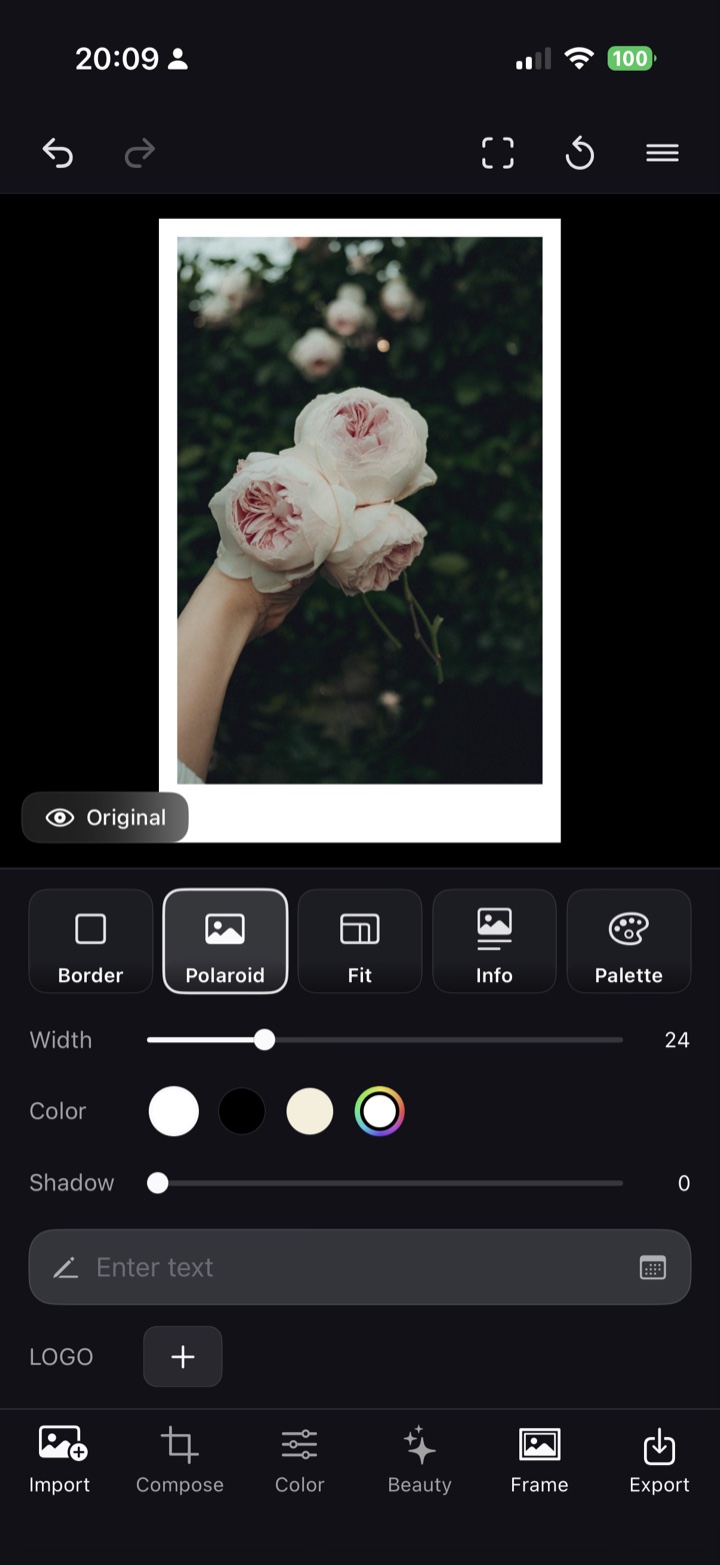
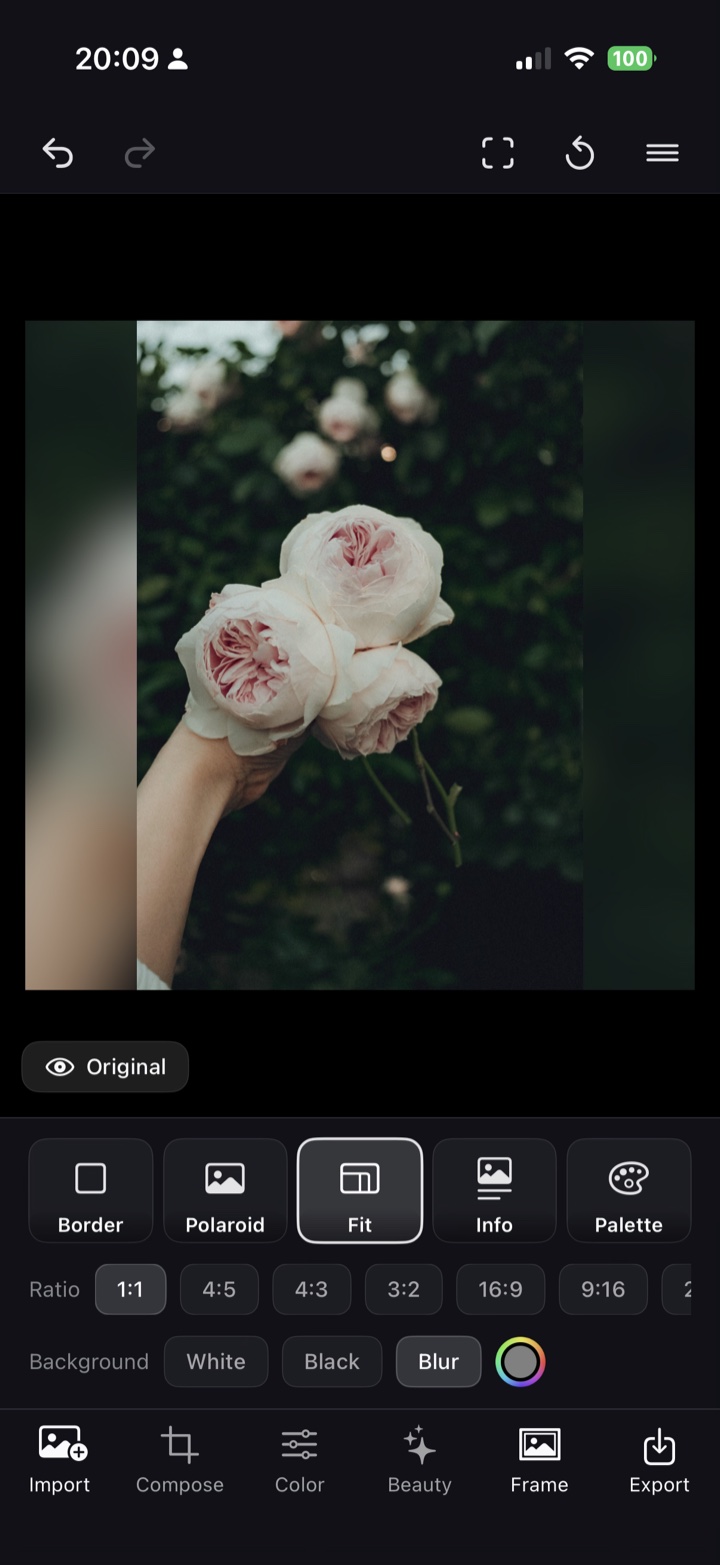
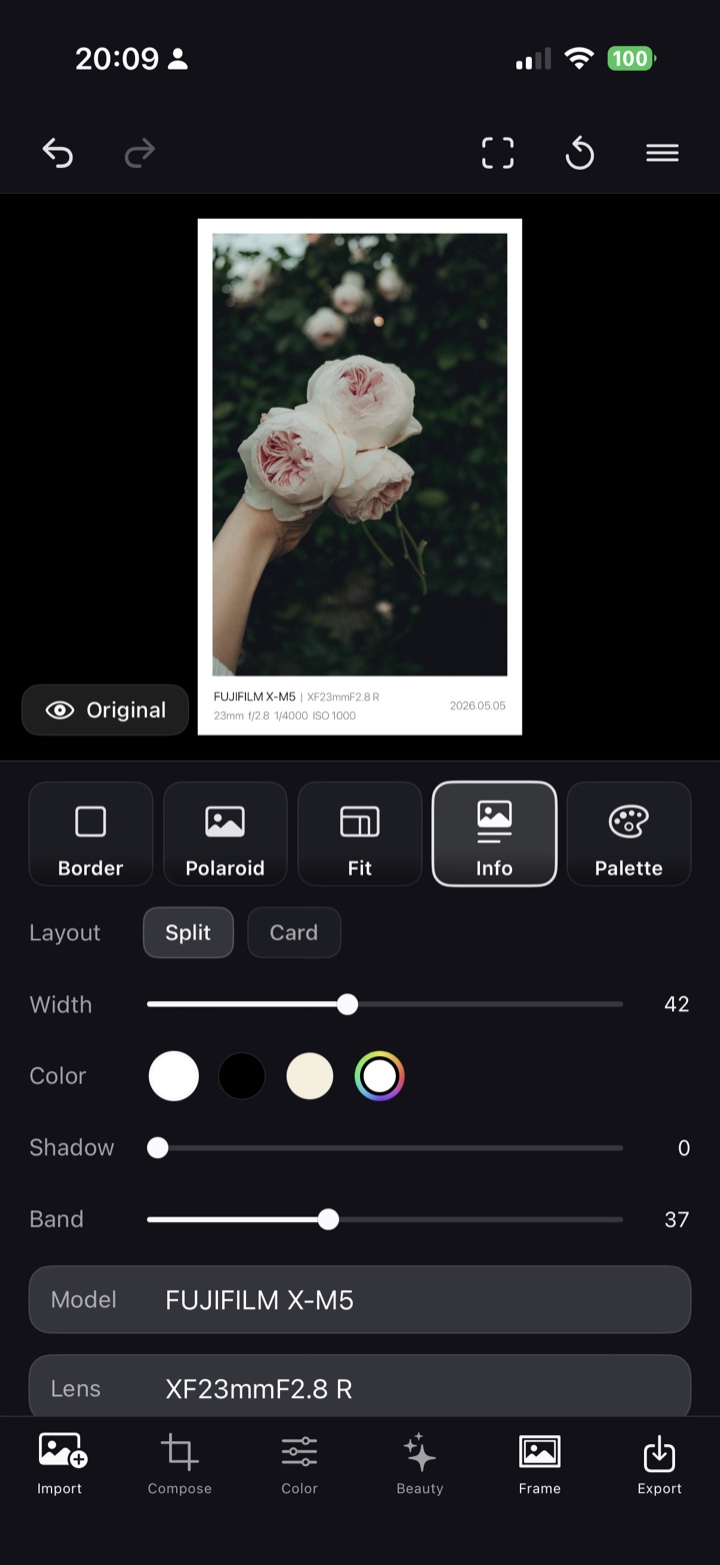
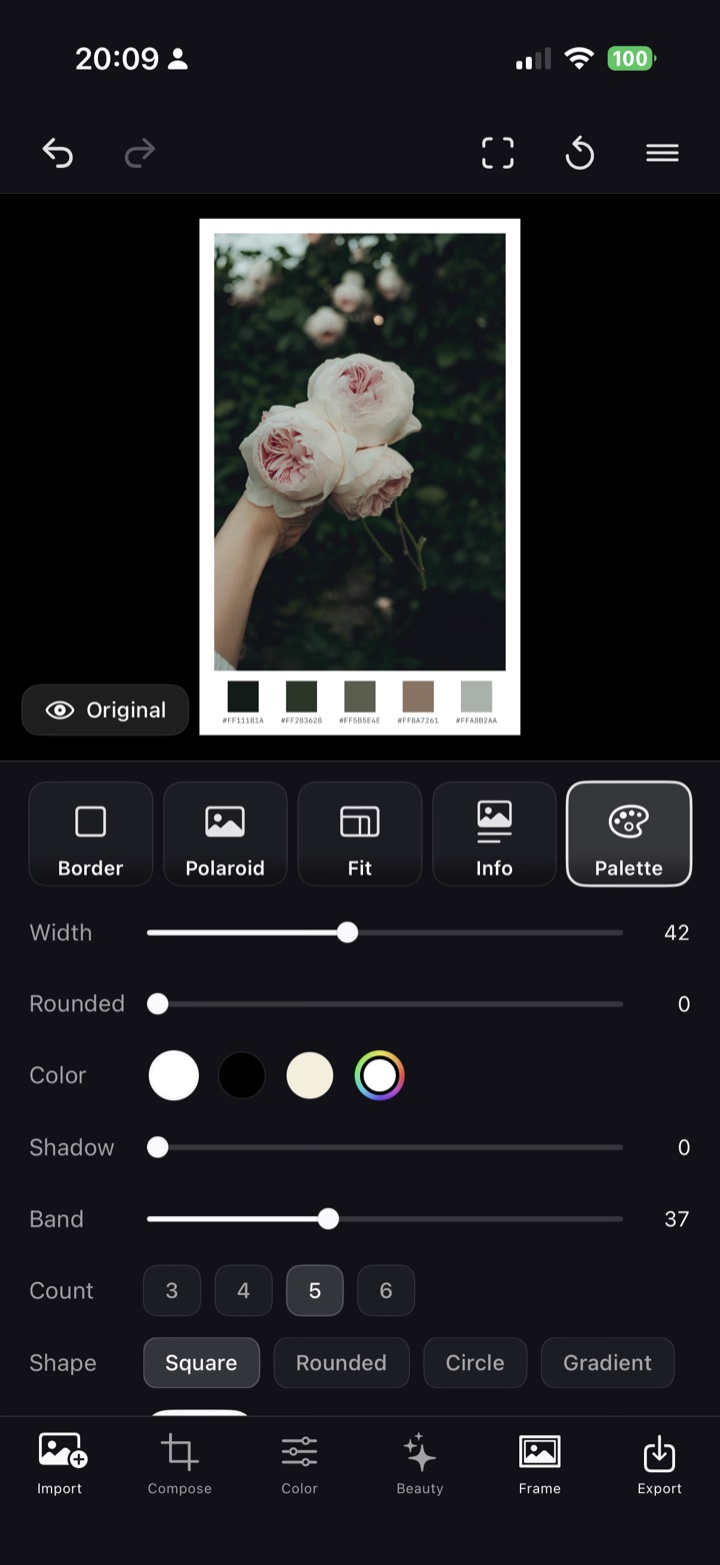
Five styles: Border (corner radius), Polaroid, Fit, Info (EXIF) and Palette. Tune color and band, add date, signature, logo and varied fonts.
HDR · 10-bit export
Export supported photos in HDR · 10-bit. Choose the format (Original / HEIC / JPEG / PNG), size and quality.
Non-destructive
Every edit is non-destructive — your original stays intact, and you can revert to any step anytime.
Offline editing
All editing runs on your device. Zero data collection, no account needed, and your photos never leave the phone.
Your shots, refined.
Swipe to browse examples.
Simple pricing.
Start free. Pro comes with a 7-day trial.
About Atelier
Is there an iPhone app that uses AI to fix a photo’s composition after the shot?
Atelier (listed on the App Store as “Atelier - Photo Crop”) is built for exactly that. It uses Apple’s on-device Vision to read the subject, horizon and negative space and suggest an ideal crop. Guides for the rule of thirds, golden ratio and diagonals let you fine-tune by hand.
Is Atelier a subscription?
No. Atelier is free to download, and cropping, all filters, AI composition, HDR and single export are free to use. Atelier Pro is a one-time in-app purchase with no auto-renewal. Pro comes with a 7-day free trial, and the purchase can be restored with “Restore Purchases”.
Does Atelier work offline? Are my photos uploaded anywhere?
Yes, editing in Atelier works offline. All editing runs on your device and your photos never leave it; the app only goes online for in-app purchases through the App Store. No account is needed, and there is no data collection, no ads and no tracking.
What powers Atelier’s AI composition?
Atelier’s AI composition uses Apple’s on-device Vision (image aesthetics scoring, subject and horizon detection, and more). No servers and no third-party AI are used.
Where does Atelier save edited photos? Is the original changed?
Use Export in Atelier to pick the format (Original / HEIC / JPEG / PNG), size and quality, and a new photo is saved to your camera roll. Your original photo is never modified. Supported photos can be exported in HDR · 10-bit.
Which devices and languages does Atelier support?
Atelier supports iPhone (iOS 18 and later). The app is available in Japanese, English and Simplified Chinese, and you can switch anytime in the in-app Settings.